ForwardVia’s New Features
Here you will see guide on how to order some of the new Forwardvia's shipping services
Back to your DashboardMulti-piece order
If you have multiple packages in your Inbox, you can now order a service for multiple packages in one go.
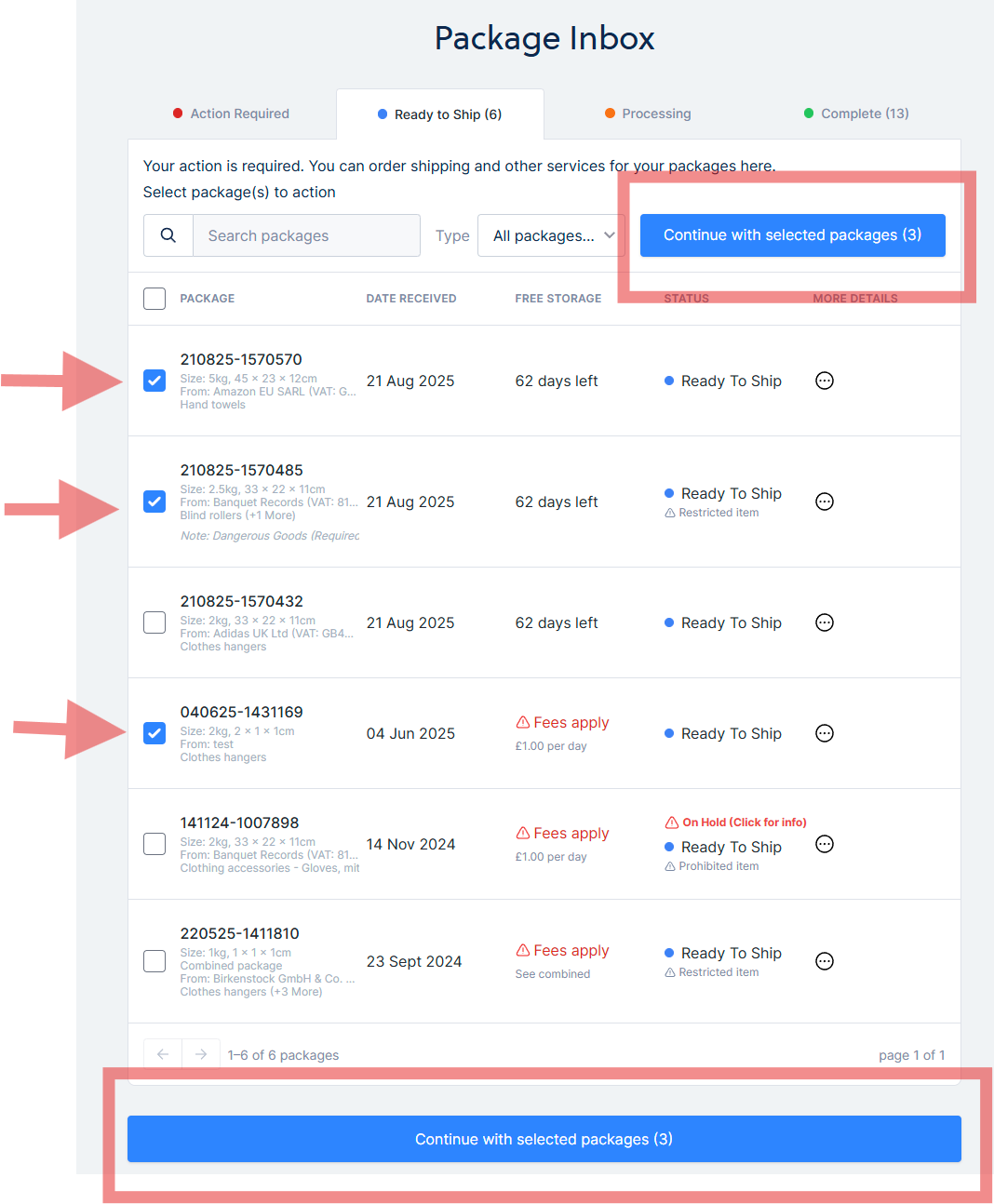
Simply select the packages by ticking the checkboxes next to the package in Ready to Ship.
Click ‘Continue with selected packages’ and you will be presented with service options to proceed.
After you selected multiple packages, you can order any of the following services:
- Consolidation — This is where we combine multiple packages into one box, or least multiple of boxes. After consolidating it, you can order to ship it
- Photo — this is where photos of the package and its contents are taken for you to review
- Dispose — This is if you do not need the packages and would like to dispose of it
- Multi-piece Shipping (up to 5 packages) — You can order to ship multiple packages (up to 5) in one order using our couriers. This is called multi-piece shipping, where your packages are grouped in one shipment. For more than 5 packages, simply order consolidation, as usual. Once consolidated, you can order international shipping in your account. Multi-piece is not available for Royal Mail.
Note: Packages that are On hold or Prohibited are not available for consolidation and shipping.
How to order Consolidation service
Here is the guide on how to order the consolidation service.
Consolidation is where multiple packages are combined into one box, or least multiple boxes. This service is great if you have multiple smaller packages.
After we consolidate it, you can order shipping of the consolidated package.
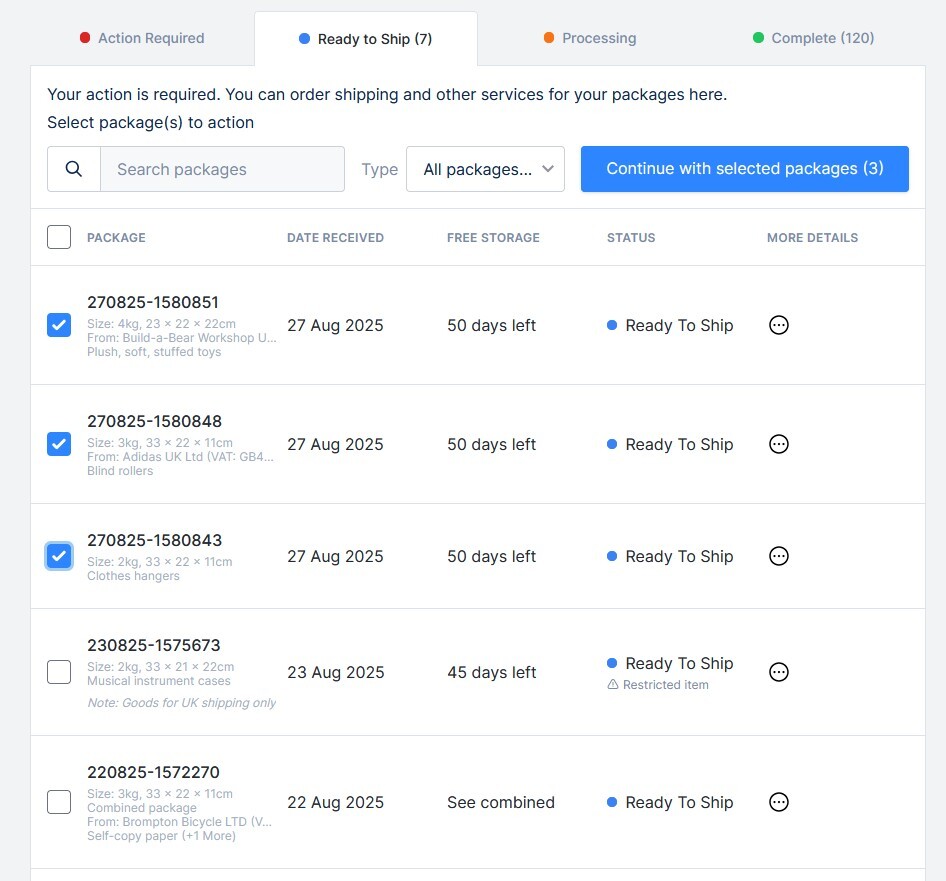
Step 1: Select some or all your packages in your Package Inbox > Ready to Ship and click ‘Continue with selected packages’.
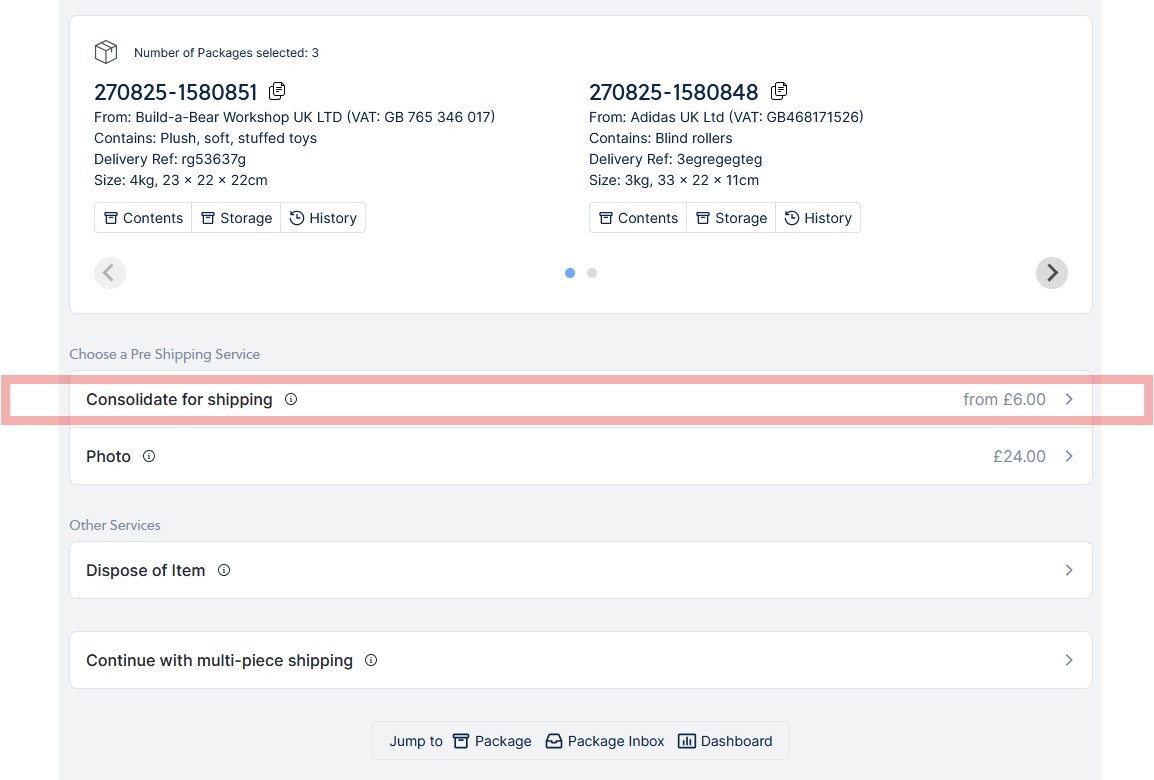
Step 2: Click on ‘Consolidate for shipping’.
Step 3: Select your consolidation options and click ‘Continue’. You can enter any consolidation request if you want (additional fee applies, optional)
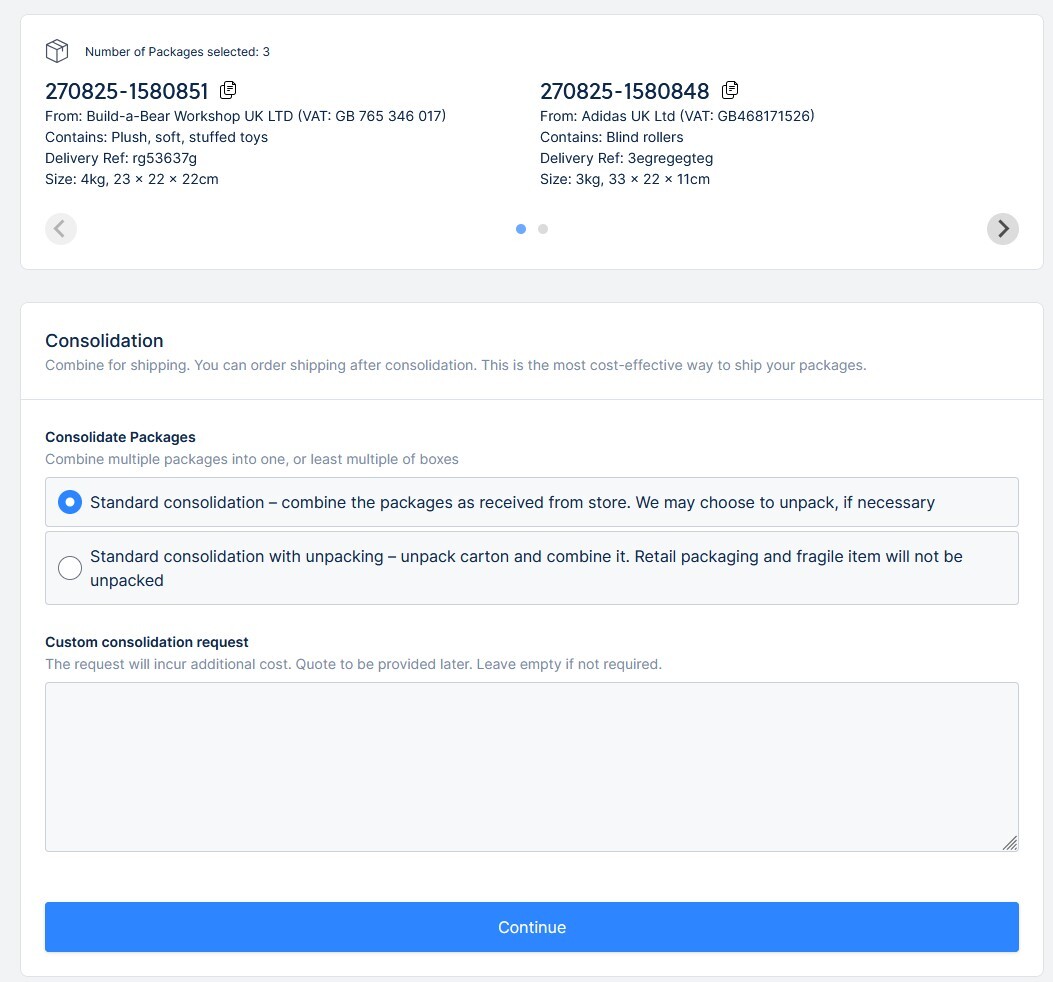
Step 4: Make payment to proceed. Then, wait for us to process the consolidation order. Once complete, you will get a notification email.
Step 5: After that, you can order shipping of the consolidated package
How to order multi-piece shipping
Multi-piece shipping is for shipping multiple packages (up to 5 packages) grouped into one shipment. You will get one tracking number and receive multiple packages. This option is great if you have large packages.
Here are the steps to order multi-piece shipping:
Step 1: Select up to 5 packages in your account and click on ‘Continue with selected package’ button.
Step 2: Click on ‘Continue with multi-piece shipping’.
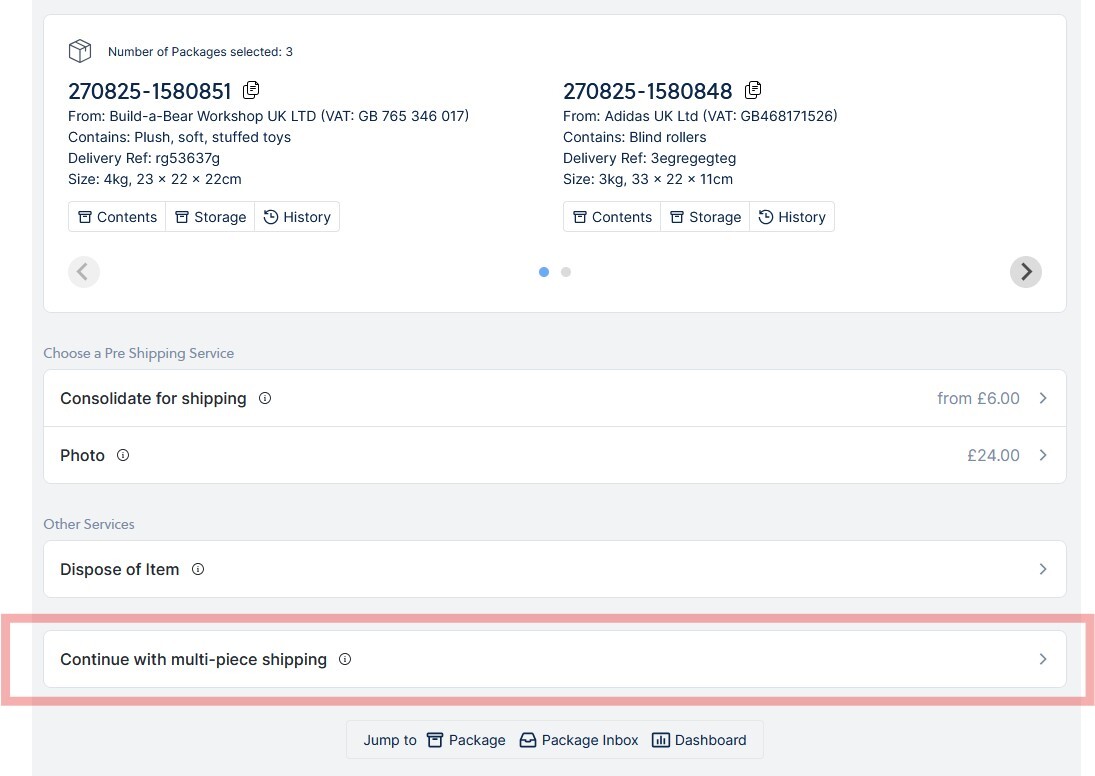
Step 3: Select your shipping address or add a new one. Click on Continue.
Step 4: Select ‘Purpose of Export’ and Continue
Step 5: You will be presented with a list of couriers, if available. Select the courier of your choice and Continue
Step 6: Opt for additional shipping insurance cover. This is optional
Step 7: Select optional extra services. This is optional
Step 8: Agree to terms and make a payment to ship. That’s all
How to filter packages
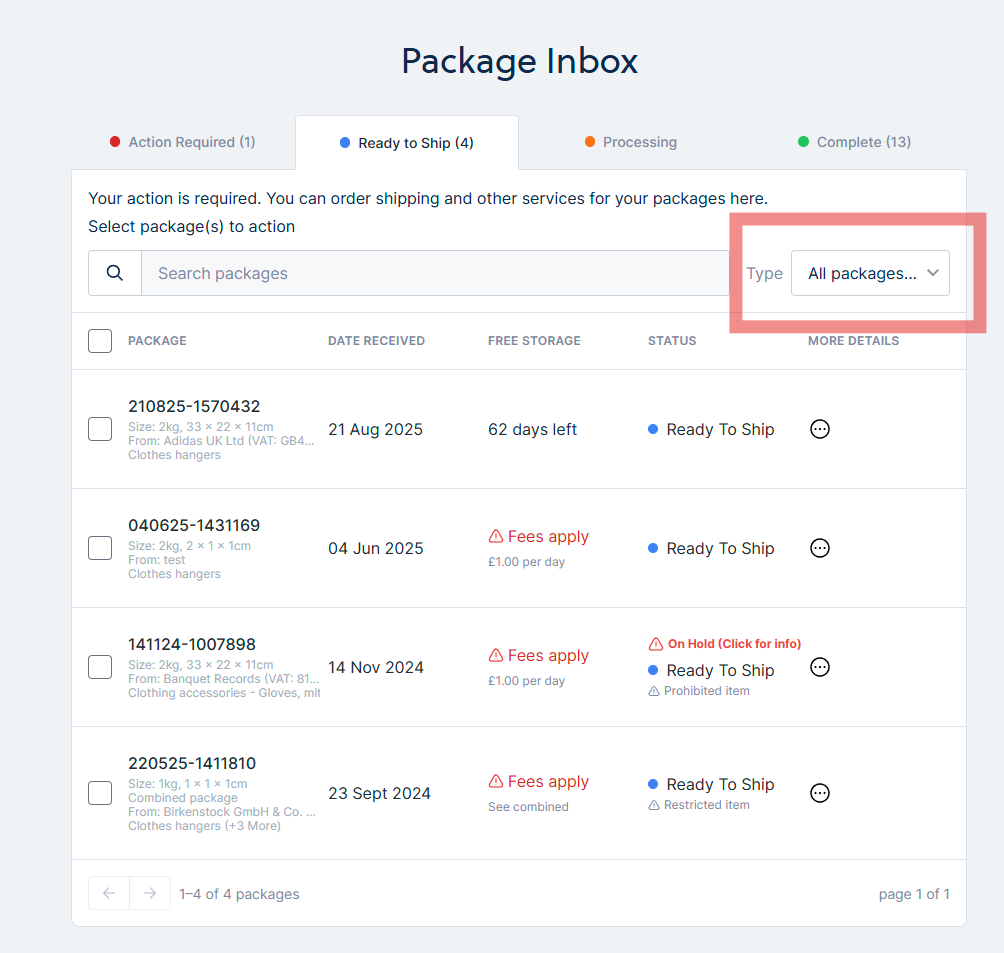
You can now filter packages that are Ready to ship or packages we already consolidated
Simply click on Type: All packages and from the drop down you can select ‘Ready to Ship’ or ‘Consolidated’.